Inside the Android app

See Yawmi
in action.

Start with a plan, match it to your energy, then focus on one task. Explore each part of your day below.

Plan

Clear the mental tabs.

A clearer task list, from your first idea to the next thing you want to do.

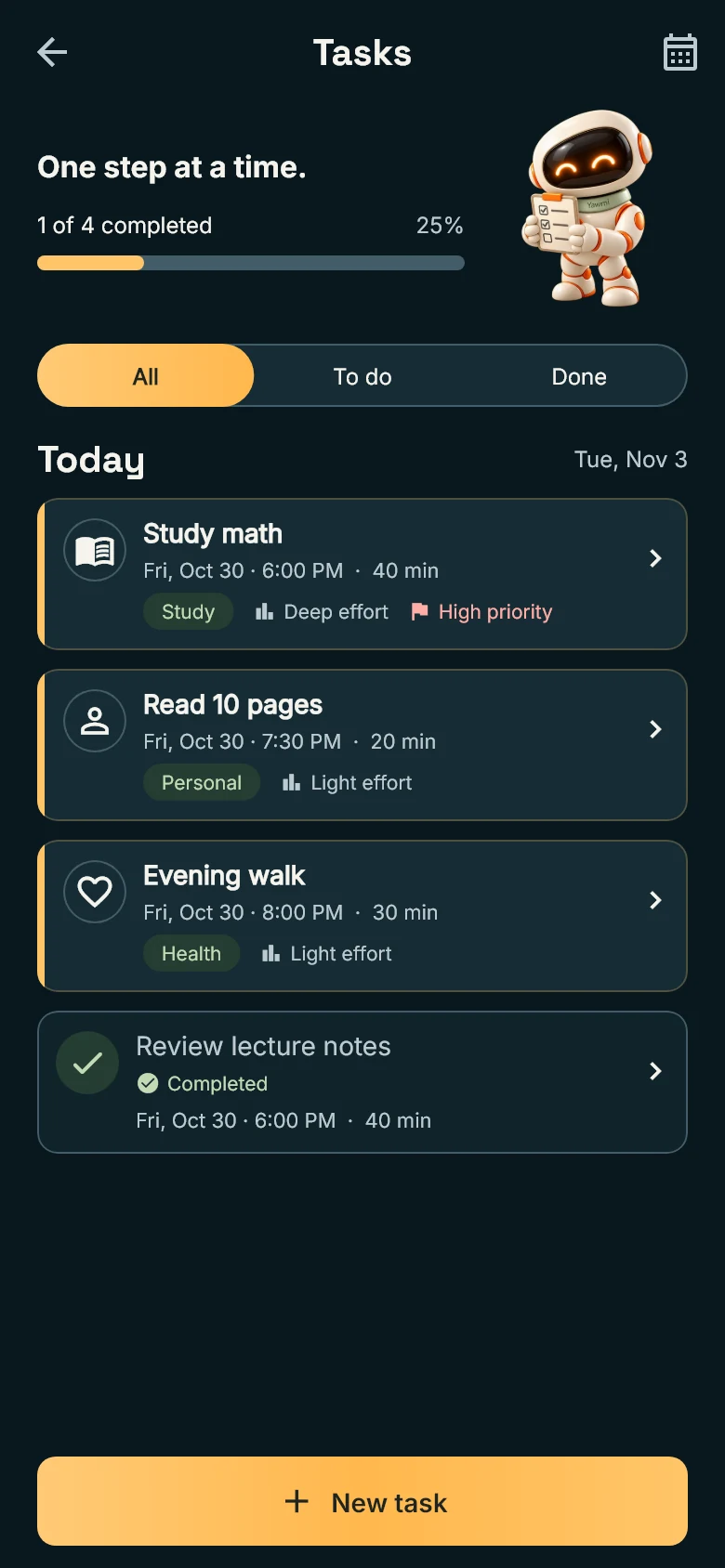
Plan with a category, priority, effort level and time.

  • See your tasks together in a daily list.
  • Keep priority and effort separate.
  • Open a task for notes, timing and focus.
My tasks with dated task cards, categories, priority and effort levels.

My tasks — Current Flutter app

Current Flutter app · Synthetic data · 3 November 2026. App interface captured locally; public release pending.

Talk

Say hello to Milo.

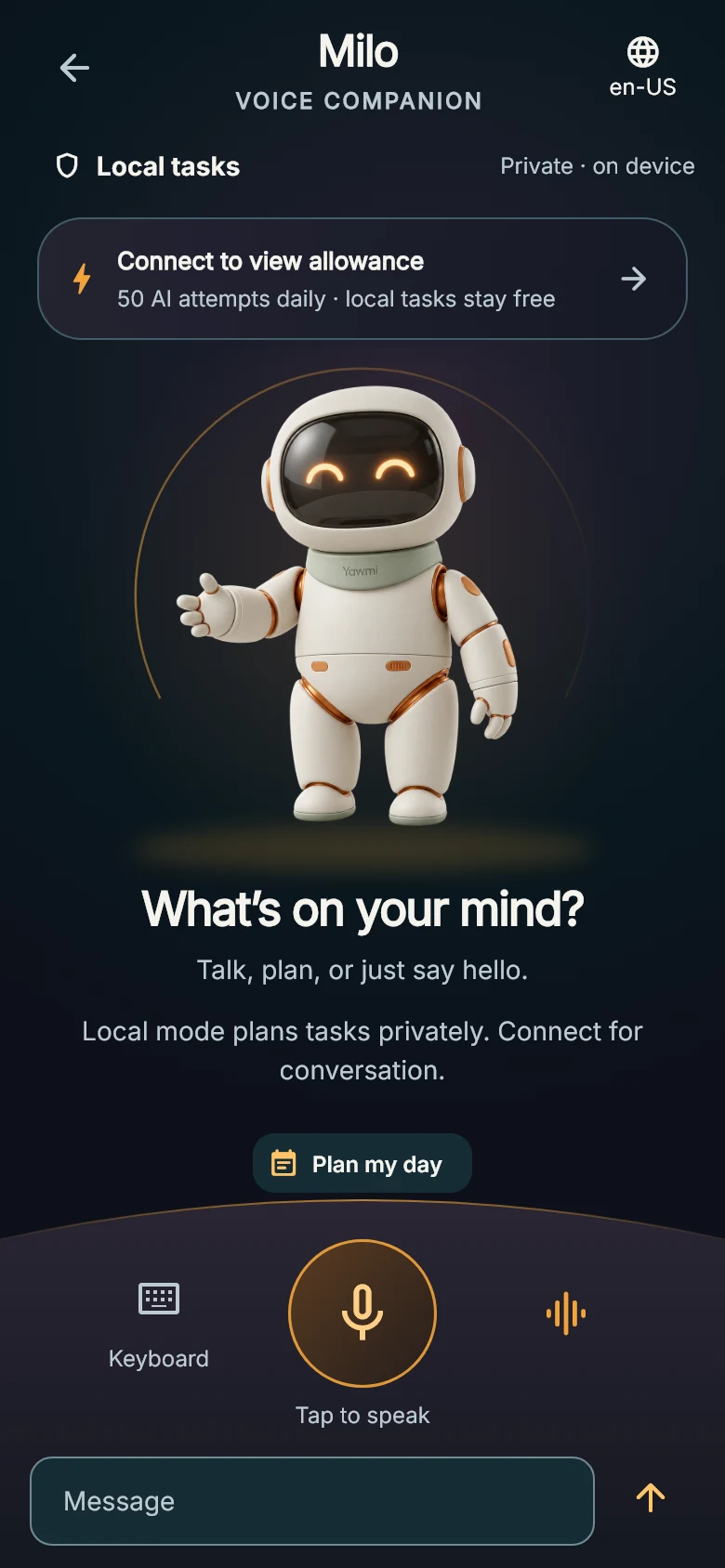
Type a thought or speak on a supported device. Review the suggested task before saving.

  • Use local task mode for everyday planning.
  • Check the task details before you confirm.

Speech availability varies by device. Connected conversation requires configuration and has a separate allowance.

Milo voice companion with local task mode, a text composer and microphone controls.

Milo voice companion — Current Flutter app

Current Flutter app · Synthetic data · 3 November 2026. App interface captured locally; public release pending.

Rhythm

Work at your pace.

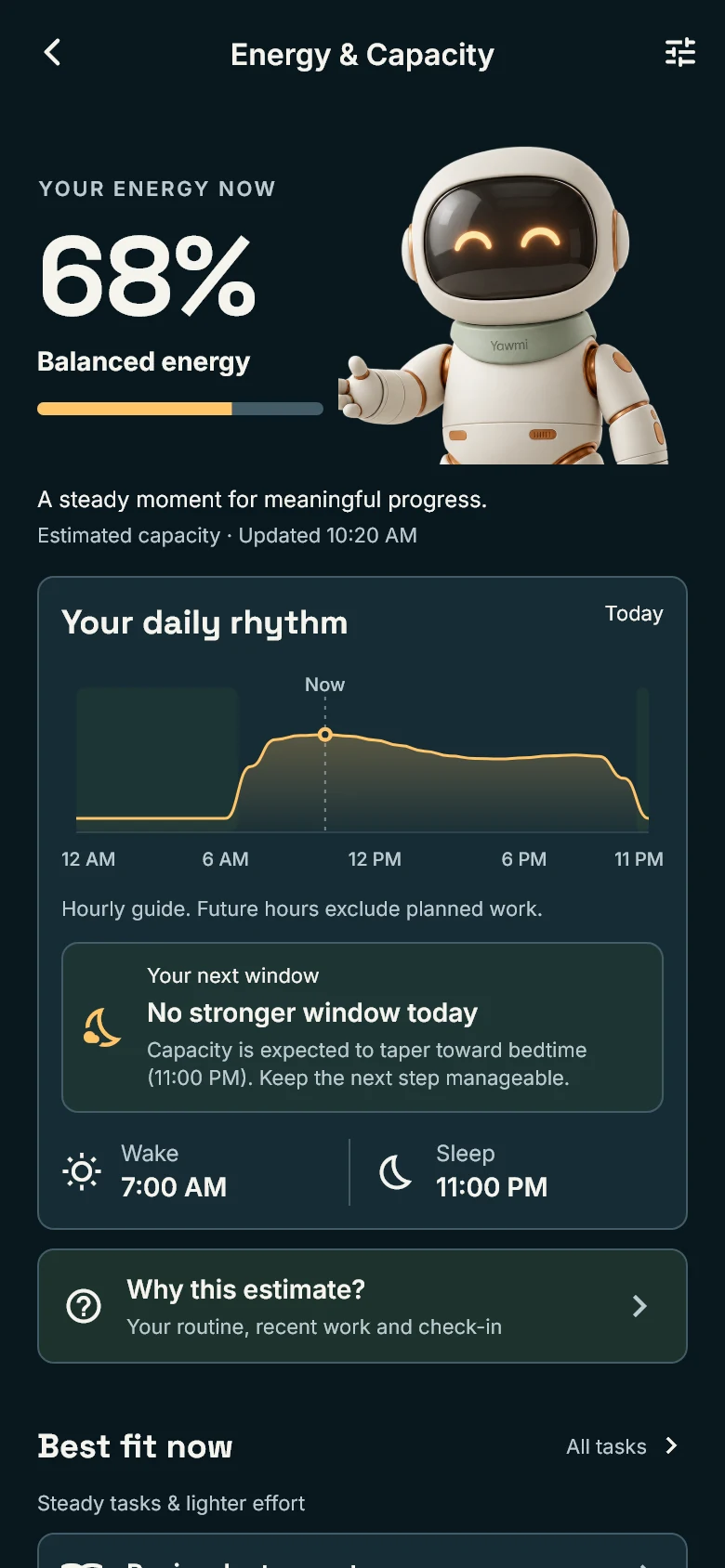
Energy & Capacity brings your current estimate, daily rhythm and task suggestions into one place.

  • Set your wake and sleep routine in Body Clock & Energy.
  • Explore the daily curve and why an estimate changed.
  • Check in and consider tasks that fit your current capacity.

Estimates guide planning; they are not measured energy or medical advice.

Energy and Capacity with an estimated energy level, daily rhythm chart and suggested effort.

Energy & Capacity — Current Flutter app

Current Flutter app · Synthetic data · 3 November 2026. App interface captured locally; public release pending.

Focus

One thing at a time.

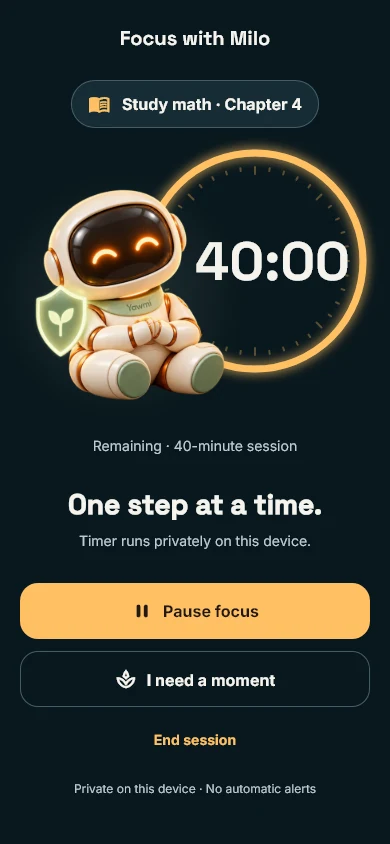
A quieter focus space with Milo, your chosen task and a private timer.

  • Keep one task beside the countdown.
  • Pause, take a recovery break or end the session.

App blocking is outside the confirmed public feature set.

Focus with Milo: a 40-minute sample task, pause, recovery and end-session controls.

Focus session — Current Flutter app

Current Flutter app · Synthetic data · 3 November 2026. App interface captured locally; public release pending.

Progress

A universe of little wins.

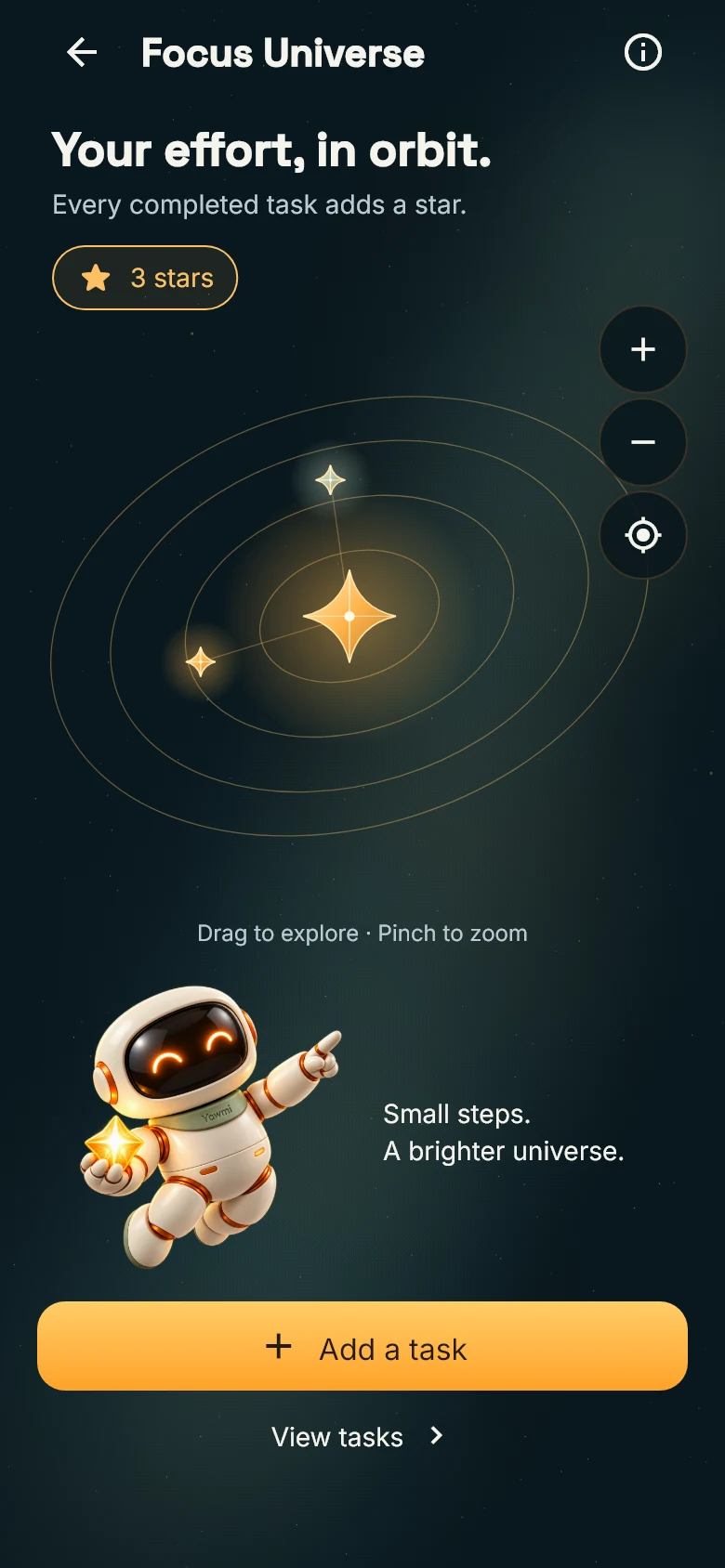
Completed tasks become points of light in My Universe.

  • Completed tasks become points of light.
  • Explore your progress in My Universe.
Focus Universe with stars representing completed sample tasks and progress controls.

Focus Universe — Current Flutter app

Current Flutter app · Synthetic data · 3 November 2026. App interface captured locally; public release pending.

Guardian

A place to reset.

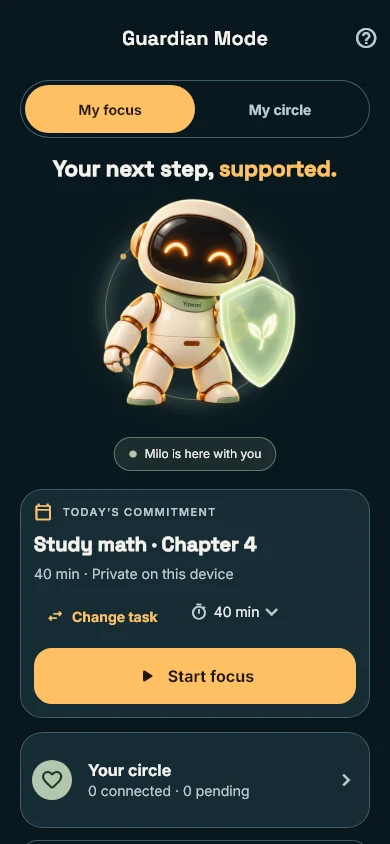
Open Guardian when you need support choosing a commitment or taking a recovery break.

  • Choose a task for a local focus session.
  • Take a moment to recover without sending an alert.

Circle sharing is still in development. The local timer does not block other apps or automatically alert anyone.

Guardian Mode with a local focus journey and a separate Circle tab.

Guardian Mode — Current Flutter app

Current Flutter app · Synthetic data · 3 November 2026. App interface captured locally; public release pending.

Smart Schedule · Preview

See a possible day.

Review proposed task times alongside fixed commitments and breaks. Schedule application remains a preview in this build; it does not automatically rearrange your day.
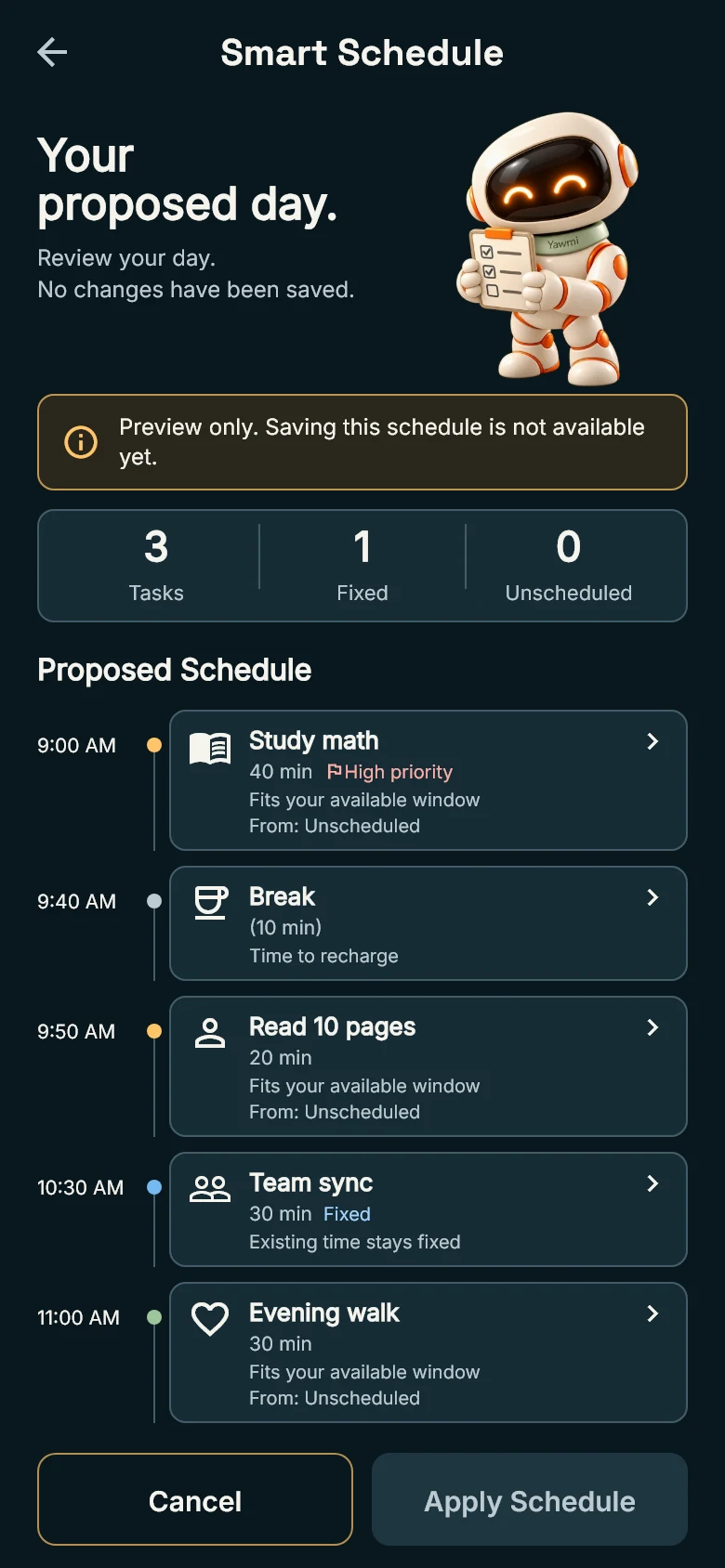
A Smart Schedule preview with proposed task times, fixed commitments and breaks.

Smart Schedule — Current Flutter app

Current Flutter app · Synthetic data · 3 November 2026. App interface captured locally; public release pending.

Body Clock & Energy

Start with your routine.

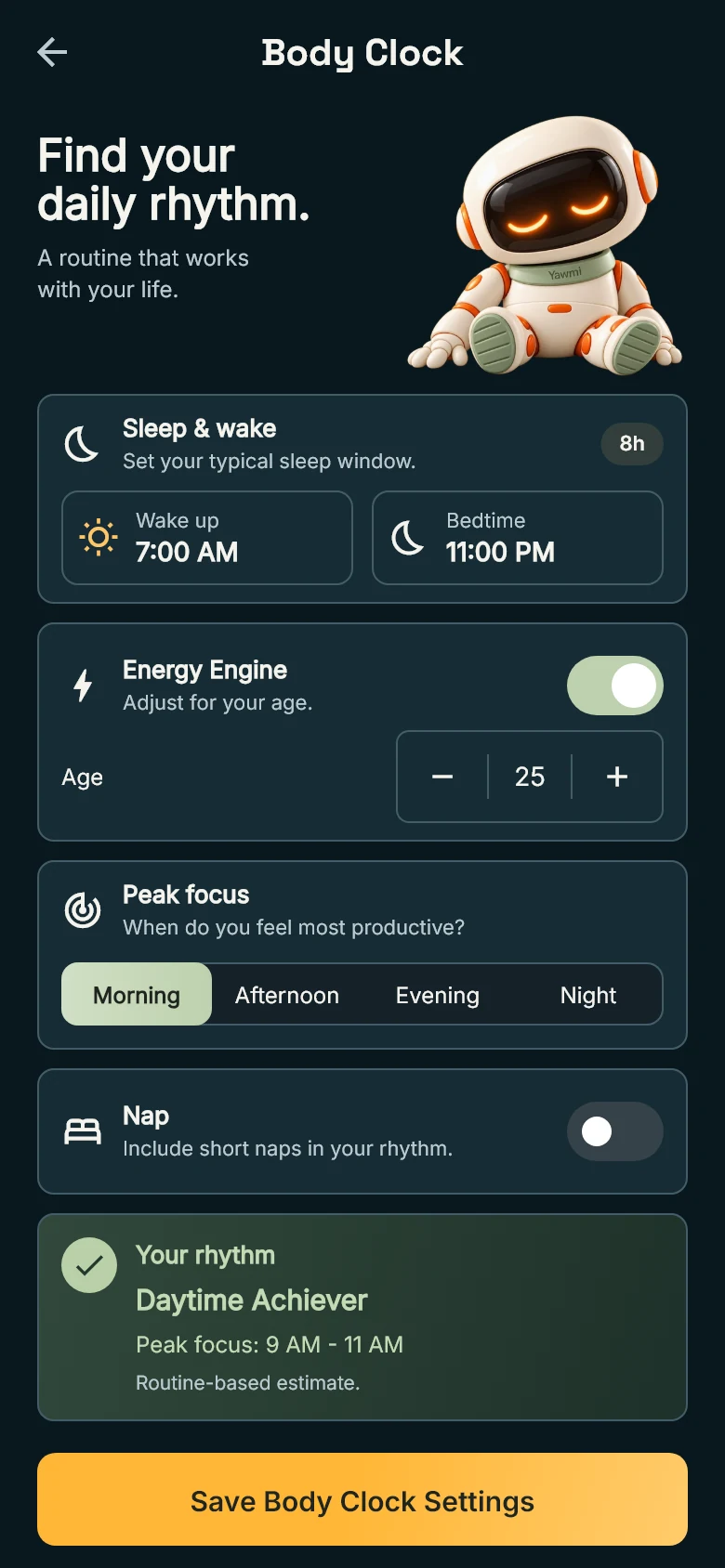
Set your wake time, sleep time and focus preferences. These details help shape the daily planning estimate you see in Energy & Capacity.

Body Clock and Energy settings for wake time, sleep time and focus preferences.

Body Clock & Energy — Current Flutter app

Current Flutter app · Synthetic data · 3 November 2026. App interface captured locally; public release pending.

Photo Proof · In development

A place for the finished work.

The redesigned task details include an Add photo proof entry. Photo verification is not enabled in this build, and an image alone is not a confirmed completion. The connected verification flow is still being developed.

Before you get started

Android beta. More to come.

Public release is pending. Check the latest status and development updates before you download.

About these screens. Captured from the current Flutter app interfaces on 3 November 2026 with synthetic data and the original light and dark artwork. The app was also reviewed on Android. Photo Proof verification, Circle sharing and Battles are outside the confirmed public feature set. No private account data or Photo Proof success result is shown.